

Hair salon software with WhatsApp reminders
A hair salon runs on seat occupancy. Every empty chair is lost revenue, and every no-show, especially on colour or highlights, is €60 to €150 walking out the door. GlowBook is built to give hairdressers that money back: automatic WhatsApp reminders 24 hours before the appointment, optional deposits via Bancontact or iDEAL, and a waitlist that finds a new client within minutes of any cancellation.
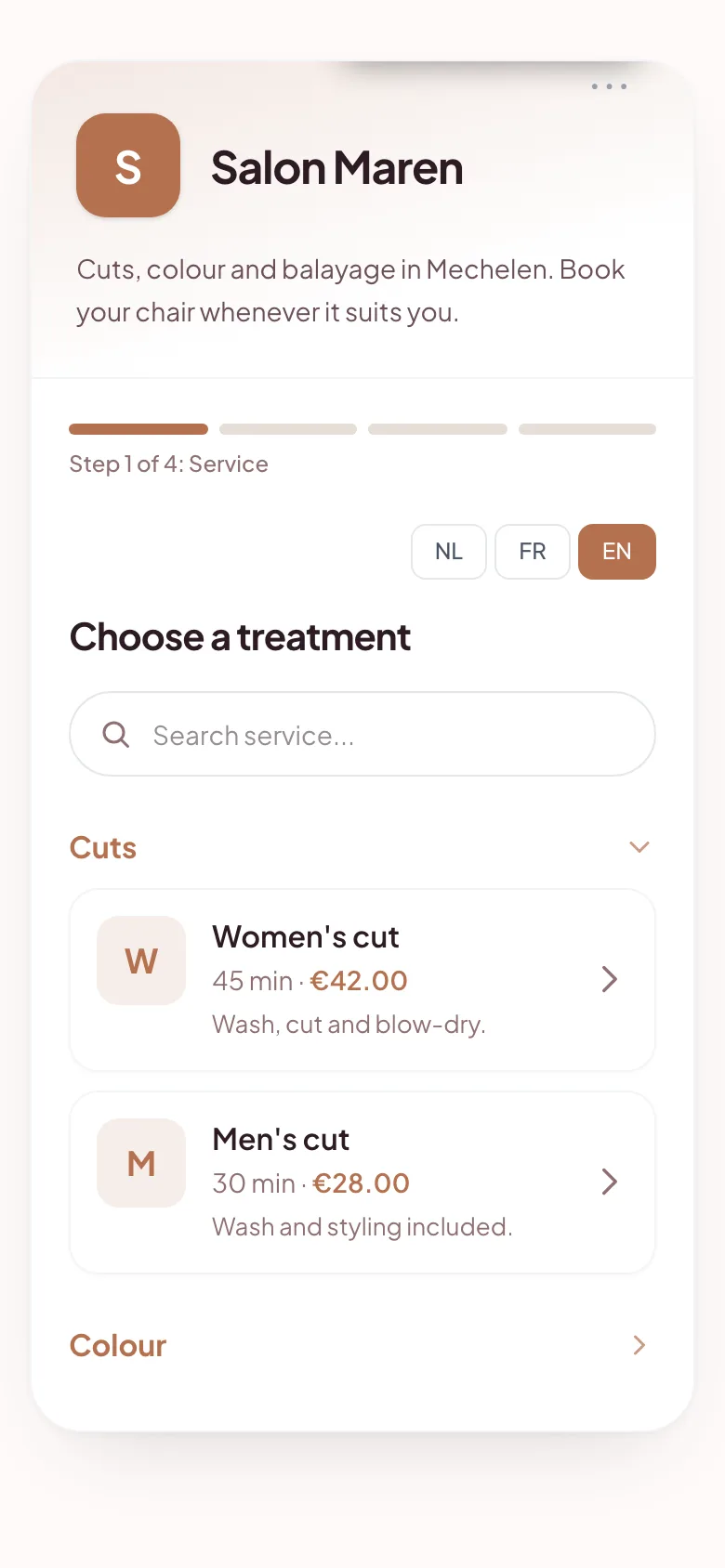
Online booking software for hair salons
Cutting with a phone between your knees
Hands full of colour, picking up the phone isn't an option. 24/7 online booking via your link on Instagram, Google Business and your website takes most of the inbound calls away. Clients pick date and time themselves, you put the phone on silent.
No-shows on colour hit hardest
Losing a 30-minute trim is annoying. Losing a 2.5-hour balayage is a disaster. Turn on per-treatment deposits (e.g. 30% on colour, €0 on cut). Clients who've paid, show up.
Get your regulars back every 6 weeks
GlowBook automatically sends a rebook reminder 6 weeks after the last visit (interval configurable per treatment). No manual follow-up, no lost clients because you forgot to chase them.
A day with GlowBook in a hair salon
Anna opens her salon in the morning. The GlowBook calendar is on the iPad by the till: 9:30 cut, 10:00 highlights (60% deposit paid), 14:00 colour-and-cut. Between clients a booking comes in via her Instagram link. The confirmation goes out by email automatically, the WhatsApp reminder follows 24 hours before. At 15:00 a client cancels through the link in her confirmation email; within 3 minutes a waitlist client claims the slot. Revenue saved.
FAQs about appointment software for hairdressers
Can I set a different deposit per treatment?
Yes. For a simple cut you might charge nothing; for colour or balayage, set a percentage (e.g. 30%) or a fixed amount. Clients see the amount clearly during the booking flow.
Does it work with multiple hairdressers in one salon?
Yes, with the Team plan (€39/mo). Each stylist has their own calendar and availability. Clients pick their preferred stylist at booking, or choose 'no preference' to take the first available slot.
Can a client lock in a specific colour code online?
Add an intake form to your colour treatments with fields like 'Previous colour', 'Allergies' or 'Desired result'. The info is ready in your dashboard when the client arrives.
End the phone war. Let your clients book themselves.
14 days free. No credit card. No commitment.
Start your 14-day free trial